
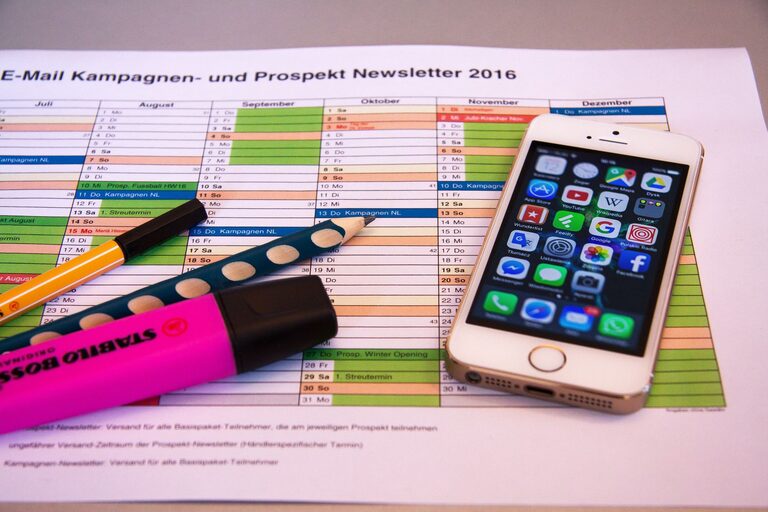
In today’s connected world, our digital lives can become just as cluttered as our physical spaces. Between overflowing inboxes, scattered files, multiple devices, and countless apps, it’s easy to feel overwhelmed and distracted. Decluttering your digital life isn’t about deleting everything but creating a system that helps you stay organized, focused, and efficient. This guide walks you through practical ways to clear digital clutter and maintain a streamlined digital environment.
Why Declutter Your Digital Life?
A cluttered digital space can lead to:
– Increased stress and anxiety
– Difficulty finding important information
– Reduced productivity and focus
– Slower device performance
– Security risks from forgotten accounts and outdated software
By taking time to organize, you create a more pleasant and efficient digital experience, freeing up mental space and saving valuable time.
Step 1: Organize Your Files and Folders
Files scattered across desktops, downloads folders, and cloud storage are a common source of digital clutter. Here’s how to fix it:
Create a Logical Folder Structure
– Categorize files by type (work, personal, photos, documents) or project
– Use clear, descriptive names for folders and subfolders
– Limit folder depth to avoid getting lost in layers of folders
Use Consistent Naming Conventions
– Include dates or version numbers for easy sorting
– Avoid vague file names like “document1” or “image_final”
Clean Up Downloads and Desktop
– Delete files you no longer need
– Move important files to the appropriate folders immediately
Step 2: Manage Your Email Inbox
Email clutter can quickly become overwhelming. The goal is to achieve “Inbox Zero” or at least make your inbox manageable.
Unsubscribe Ruthlessly
– Use tools or manually unsubscribe from newsletters and promotions you no longer read
– Consider creating a separate email for subscriptions
Use Folders and Labels
– Create folders like “To Read,” “Important,” or project-specific labels
– Automatically filter incoming mail to reduce manual sorting
Delete and Archive Regularly
– Delete outdated or irrelevant messages
– Archive emails you want to keep but don’t need immediate access to
Step 3: Streamline Your Apps and Software
Too many apps slow down devices and create confusion.
Remove Unused Apps
– Review your apps on phones, tablets, and computers
– Delete those you haven’t used in months
Organize Apps
– Group frequently used apps on one screen or folder
– Use widgets or shortcuts for quick access to essential functions
Update Regularly
– Keep apps and software updated for security and performance improvements
Step 4: Declutter Your Social Media Presence
Social media platforms can contribute to digital chaos if left unmanaged.
Review and Clean Your Accounts
– Unfollow or mute accounts that don’t add value
– Delete old posts or photos you no longer want online
Manage Notifications
– Adjust notification settings to reduce distractions
– Use “Do Not Disturb” modes when focusing
Step 5: Secure Your Digital Life
Security is a key part of digital decluttering.
Manage Passwords
– Use a password manager to store and organize passwords safely
– Update weak or duplicate passwords
Delete Unused Accounts
– Close old social media, shopping, or service accounts you no longer use
– Helps reduce security risks and inbox clutter
Backup Important Data
– Regularly backup files to cloud storage or external drives
– Protects against data loss and makes recovery easier
Step 6: Maintain Your Digital Declutter
The key to a clutter-free digital life is consistent habits.
Set Regular Review Times
– Schedule weekly or monthly times to clean up emails, files, and apps
– Use reminders or calendar events to stay on track
Be Mindful of Digital Consumption
– Limit the number of new apps and subscriptions
– Think twice before downloading or subscribing
Automate Where Possible
– Use automation tools to sort emails, organize files, or clear cache
– Saves time and reduces manual clutter
Conclusion
Decluttering your digital life might seem daunting at first, but breaking it down into manageable steps makes it easier. Organizing files, managing emails, streamlining apps, curating social media, and securing your data all contribute to a more focused and efficient digital environment. By adopting regular habits and strategies, you can enjoy a less stressful, more productive connection with your technology. Start small today, and watch the benefits grow!